Everything PrintSent does for Dealertrack
A virtual printer that can capture any Dealertrack form with full logos and deliver it as a branded PDF — automatically, securely, with nothing to install.
Every form, exactly as it prints
Full-fidelity PDF capture
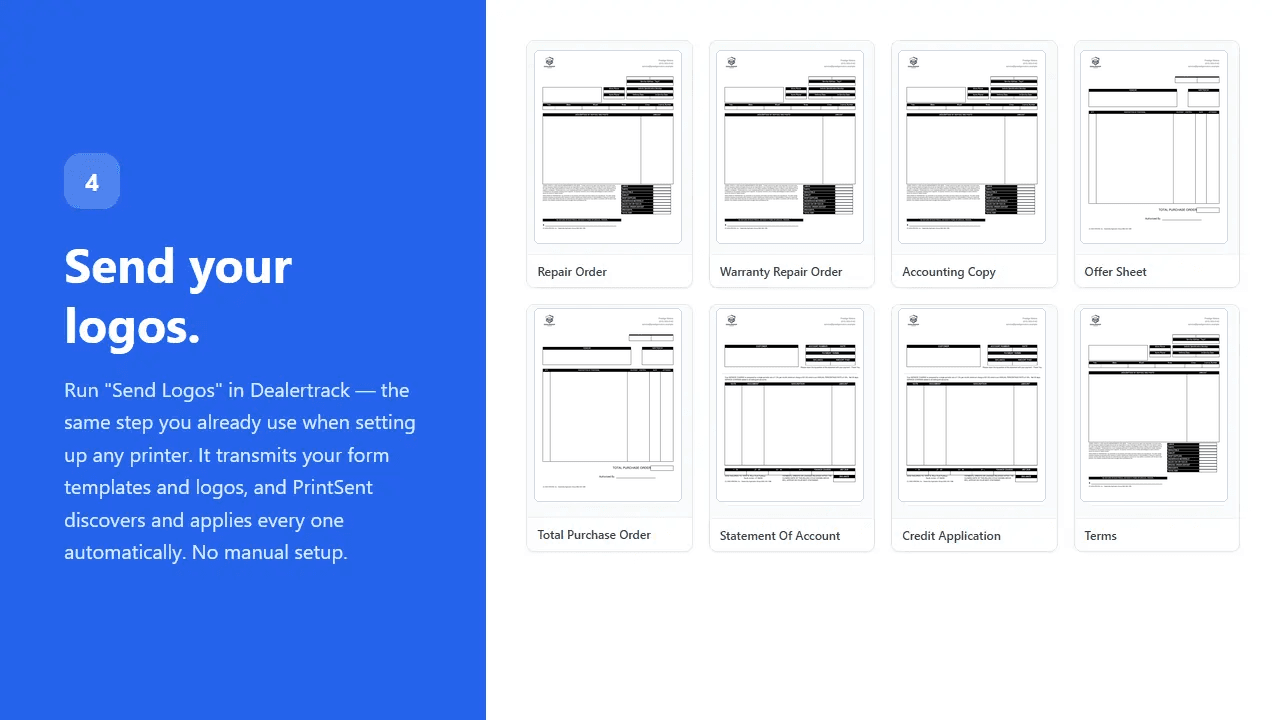
PrintSent captures the complete print stream — logos, borders, and formatting — and converts it to a pixel-perfect PDF identical to the printed page.
Full logos on every form
Run Send Logos in Dealertrack just like any printer and your branding applies automatically. No manual template setup.
Beyond QPRINT
Dealertrack's built-in QPRINT is built for text-only output; PrintSent preserves the complete visual layout of every form, logos and all.
The right document, ready the instant it prints
Instant portal — auto-send optional
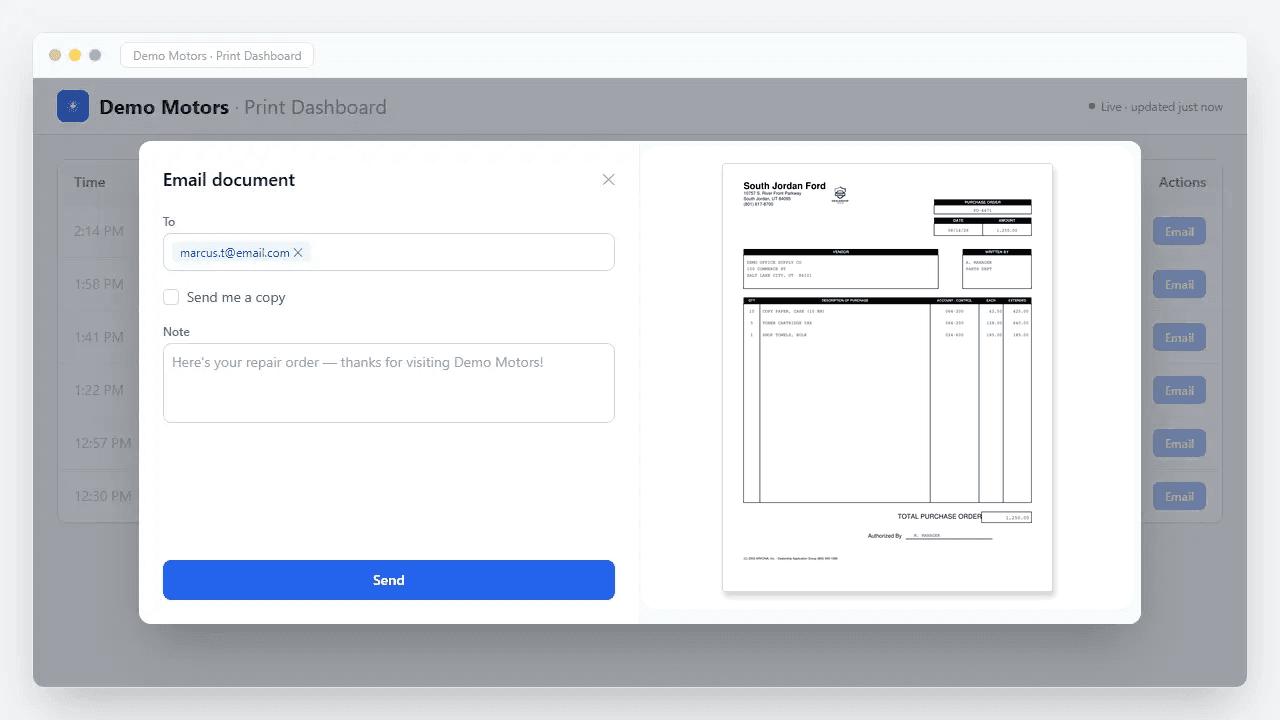
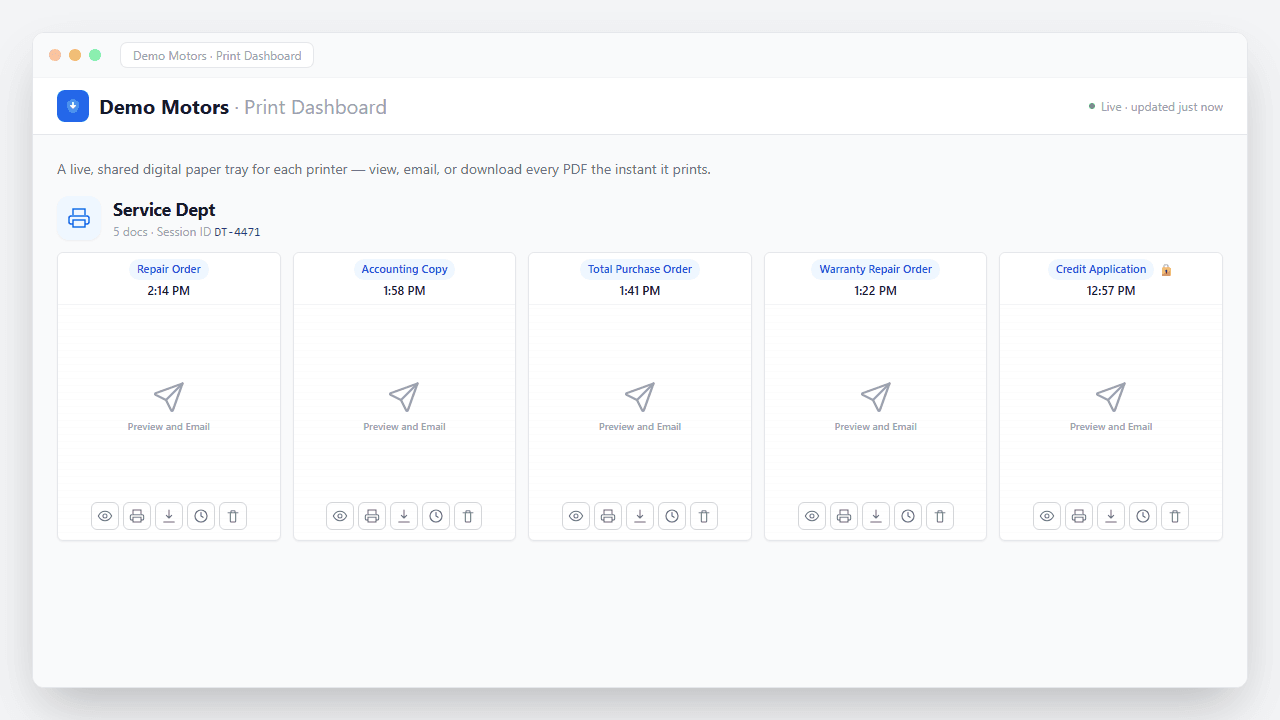
Documents appear in a shared portal in seconds — faster than your staff can walk to the printer — to view, email, or download, with optional auto-routing set once.
Per-document routing
Route each document type to its own recipients — Repair Orders to service, Purchase Orders to parts, Statements to accounting.
Shared inbox — or skip it entirely
Route a department's documents to a shared group inbox, just like a shared printer today. Or skip the mailbox setup altogether and give the team viewer access to the same PDFs in a secure web portal.
Forward to a physical printer
The device can also pass a job on to another printer's IP — so you can email a PDF and still print paper, fan a job out to multiple printers, or run everything through PrintSent to track usage.
Brand your digital documents — without touching what prints
A design per form
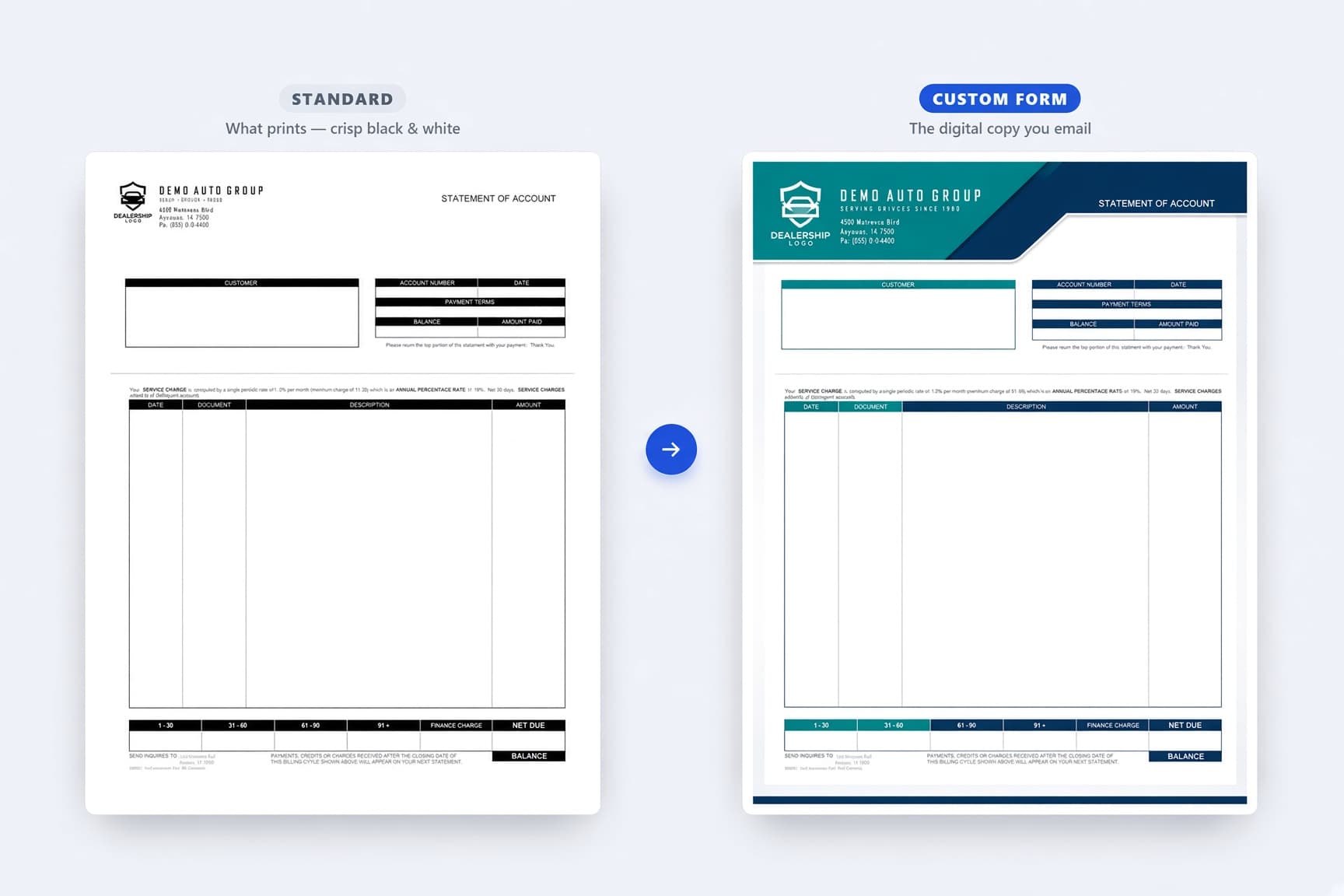
Upload a custom template for each document type — repair order, invoice, statement — applied automatically to every digital copy it produces.
Full color, your brand
A high-resolution logo, your colors, and a layout that looks like your dealership — on the PDFs you email, store, and share.
Printed copies stay untouched
Dealertrack still drives your physical forms; they keep printing in crisp black-and-white, exactly as they should for a hard copy.
Your data never moves
You design around the original field positions, so every label and number lands where it always has — PrintSent drops your styling behind the data without shifting a thing.
On or off, per form
Toggle a custom design per form in seconds, preview it against a real job before it goes live, and revert to the standard form anytime.
Email every vendor their statement — in seconds
One PDF in, every vendor's statement out
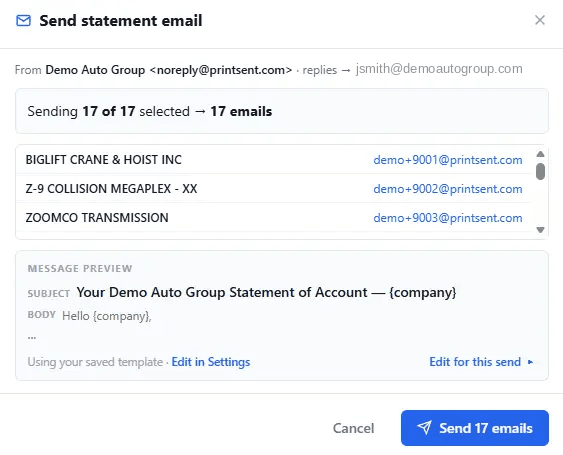
Upload the PrintSent Statement of Account PDF and it's split by account into an individual statement for each vendor — page-perfect, no sorting by hand.
Matched to a saved address book
Each vendor is matched to the email on file, remembered for next month. Add or edit addresses inline, and vendors sharing an address get one combined message.
Replies come straight back to you
Statements send from a secure PrintSent address with the reply-to set to whoever sent them, so vendor questions land in your inbox rather than a no-reply void.
Nothing slips through
Vendors without an email are bundled into a single print-and-mail PDF, already-sent statements are skipped by default, and bounced addresses surface on a worklist to fix.
See the payoff, right in the portal
Documents kept digital
The portal tallies how many print jobs stayed digital instead of hitting paper, updating on its own with nothing to track by hand.
Paper, toner, and time saved
It turns that count into the paper, toner, and staff time your store is saving over a month — the running total worth sharing with your GM.
Run your own numbers
Want to project it before you start? The Dealertrack ROI calculator uses the same math on the resources page, so you can estimate the savings for your own volume.
One small device, the whole dealership
One device, many printers
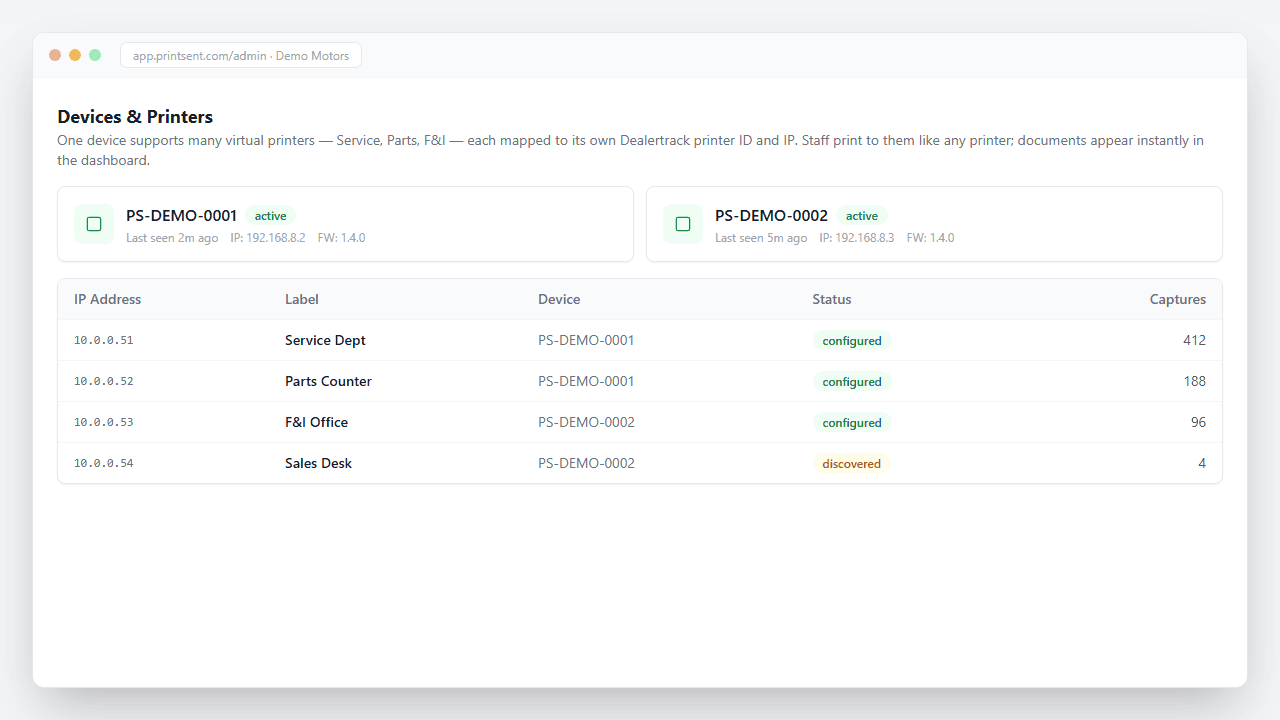
A single PrintSent device supports multiple IP addresses, emulating multiple fully compliant printers at once across every department.
Setup in under 30 minutes
Plug in one ethernet cable and power, add your printer IP in your account, create a printer in Dealertrack, and run Send Logos. That's it.
Nothing changes for your staff
No software on any workstation, no training, no workflow changes. Your team clicks Print exactly as they always have.
The same PDFs — without the shared-mailbox setup
No inbox setup, no training
Skip creating shared department mailboxes and training staff on which one to check. An admin adds people by email, picks the printers they can see, and sends a one-click invite — setup takes under a minute.
The same PDFs, another way in
Viewer access isn't a separate product; it's just another way to get the same PDFs. Every print job appears in a live list, openable as a clean PDF in one click, refreshing on its own with no reloading.
Faster than waiting on email
Documents show up in the secure web portal seconds after they leave Dealertrack — often before an email would arrive — so anyone who needs a copy right now can grab it themselves.
Read-only and scoped to their printers
Viewers only see the printers you assign — never another printer's or dealership's files — and can't change any settings, rules, or templates. Sign-in is a one-time email code, with no passwords to manage.
Filter fast, nothing lingers
Filter instantly by any combination of printers and document types. The live list shows only the last twelve hours of activity, so sensitive paperwork doesn't sit on screen. For IT partners, the whole viewer experience can carry a neutral or custom brand.
Protected documents, on your terms
Encrypted delivery
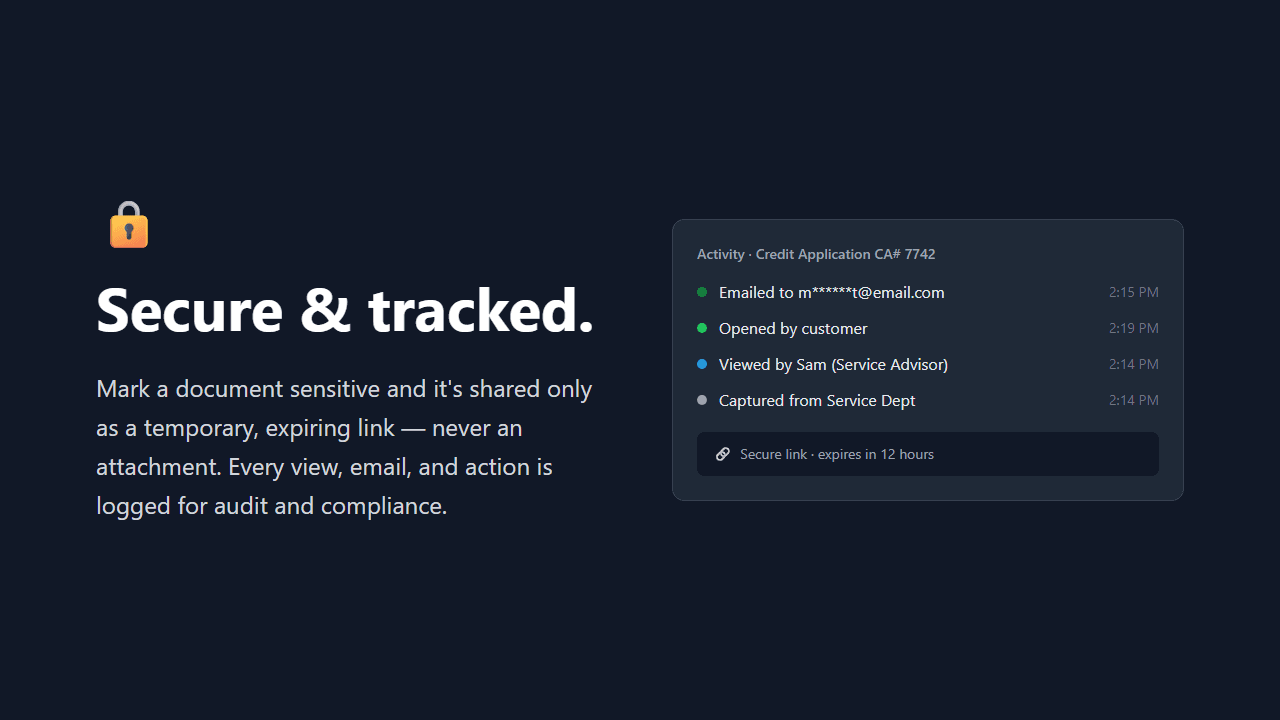
All documents are encrypted in transit over HTTPS and at rest in cloud storage, and are held only briefly for delivery rather than stored long-term.
No customer PII in emails
No customer personal information appears in email subject lines or body text, only safe identifiers like RO numbers. Sensitive documents can be sent as secure download links.
Print what you actually need
When a hard copy is required, print to a different printer ID in Dealertrack or print the PDF from your inbox to any nearby printer.
Built for an IT review
The on-site device has its own reference page covering listening ports, outbound connections, remote support access, and named subprocessors, so your IT team or MSP can sign off without a call.
Want to see how these features apply to your team? Explore PrintSent by department — Service, Parts, and Accounting & Finance.
Ready to go paperless?
Tell us about your dealership and we will get you set up.