Repair Orders to the customer, without the printer
Service is the highest-volume print department in most dealerships. Repair Orders, Tech Hard Cards, and warranty documents are printed all day — most of them just to be scanned and emailed somewhere. PrintSent turns every one of those print jobs into a branded PDF the moment your advisor clicks Print.
Repair Order
RO #00482
Printing just to send it
A customer approves work and wants a copy of the Repair Order. The warranty company needs the RO and supporting documents. The advisor prints the RO to get the logos and formatting right, walks to the printer, scans it back in, emails it to themselves, then forwards it. Multiply that by every RO, every day.
Dealertrack's built-in QPRINT option is designed for quick, text-only output, so it isn't the right fit for anything customer- or warranty-facing. So the printing continues — along with the paper, toner, and the advisor minutes lost walking to the printer instead of selling the next job.
print → walk → scan → email
What your service team gets
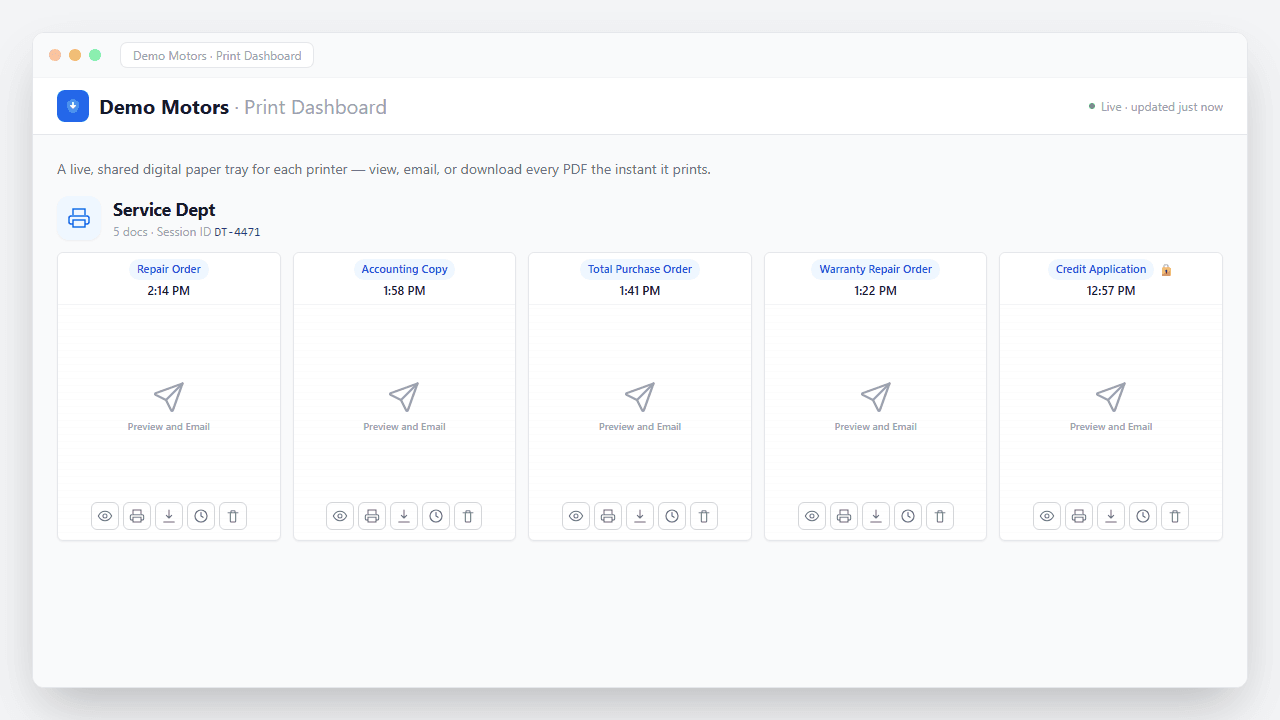
Everything service prints — ROs, hard cards, warranty packets — appears in your portal the moment your advisor clicks Print, ready to view, email, or download.
Repair Orders as instant PDFs
The RO your advisor prints appears as a pixel-perfect, fully branded PDF in the service portal in seconds — ready to view, email to the customer, or download.
Warranty copies, routed automatically
Auto-route Warranty Repair Orders and supporting documents to a dedicated recipient so the warranty submission packet is always in your portal — ready to view, email, or download.
Advisor time back on the drive
No more round-trips to the printer and scanner. Advisors stay at their desk with the customer and view, email, or download the PDF in seconds.
No paper to file
Every RO and Tech Hard Card lands in your portal the moment it prints, ready to email or download wherever it needs to go — without a single sheet of paper, and without anything piling up afterward.
How PrintSent solves it
Dealertrack
Staff click Print exactly as they do today.
PrintSent device
Captures the full print stream and converts it to a branded PDF.
Ready in your portal
The secure PDF appears instantly in your shared web portal — view it, email it to yourself or others, or download it, all from one place.
PrintSent appears on your Dealertrack network as a standard, fully compliant printer. Your advisors print exactly the way they always have — nothing in their workflow changes.
Instead of paper, PrintSent captures the full print stream — logos, formatting, and all — converts it to a PDF, and shows it instantly in a shared web portal, where you can view, download, or auto-send it to the recipients you configure for each document type.
Route Repair Orders to the service inbox, Warranty Repair Orders to your warranty administrator, and Tech Hard Cards wherever they're needed. Set it once; it runs automatically on every print.
Documents captured
What happens the moment you hit Print
No upload step, no scanner, no waiting. The job is captured straight off the print stream and turned into a secure, branded PDF in seconds — waiting in your portal to view, email, or download, and routed automatically if you want.
- Captured instantly. The print job is intercepted the moment it leaves Dealertrack — nothing ever hits paper.
- Converted to a branded PDF. Layout, totals, and letterhead preserved exactly as they'd appear on the printed page.
- Encrypted end to end. Every document is secured in transit and at rest — built with FTC Safeguards in mind.
- Ready & logged. It appears in your portal instantly — view, email, or download — with a full audit trail of who did what.
“I used to print Tech Hard Cards, walk to the New Car department to scan them on the better scanner, then email myself the PDF to forward to customers. Now I print from Dealertrack and the PDF is right there in our shared portal — I view it, email it to the customer, or download it without leaving my desk. I use it every day.”
Service Department questions
Parts Department
PrintSent for the Parts Department
Accounting & Finance
PrintSent for Accounting & Finance
IT & Technology
PrintSent for IT Directors & Dealership Technology Managers
Cost Savings
Print to Cheaper Printers with Dealertrack
Controllers
PrintSent for Controllers
Dealer Groups
PrintSent for Dealer Groups
Ready to go paperless?
Tell us about your dealership and we will get you set up. We'll show you exactly how PrintSent fits your workflow.