Less print infrastructure, less to maintain
If you run IT for a dealership, you own the printers, the drivers, and the ticket every time something jams. PrintSent removes much of that surface area: one small device emulates the fully compliant printers Dealertrack expects, with nothing to install on a single workstation.
PrintSent device
Emulating 3 printers
Printing just to send it
Dealertrack expects Lexmark network printers, so dealerships end up with fleets of them across service, parts, and accounting — each one a device to provision, a driver to manage, and a help-desk ticket waiting to happen. Multiply that across multiple rooftops and it's a standing maintenance burden.
On top of that, sensitive documents pile up in shared printer trays, and the print-scan-email habit creates uncontrolled copies. IT carries the risk without controlling the workflow.
print → walk → scan → email
What IT gets
One small device emulates the fully compliant printers Dealertrack expects — with nothing to install on a single workstation.
Nothing to install on workstations
No drivers, no client software, no rollout. PrintSent appears on the network as a fully compliant printer Dealertrack already recognizes.
One device, many printers
A single PrintSent device supports multiple IP addresses, emulating multiple fully compliant printers across departments — fewer physical devices to own.
Fewer help-desk tickets
No toner swaps, paper jams, or print-queue troubleshooting on the documents PrintSent handles. The output is a PDF in your portal.
Manage every rooftop from one login
Multi-location dealerships manage their PrintSent setups from a single account, whether locations share a Dealertrack company or each has its own.
How PrintSent solves it
Dealertrack
Staff click Print exactly as they do today.
PrintSent device
Captures the full print stream and converts it to a branded PDF.
Ready in your portal
The secure PDF appears instantly in your shared web portal — view it, email it to yourself or others, or download it, all from one place.
PrintSent is a small, pre-configured network device that emulates one or more fully compliant printers on your Dealertrack VPN-connected network. Connect one ethernet cable, add its IP in your account, create the printer in Dealertrack, and run Send Logos.
Because it emulates a printer Dealertrack already supports, there's no workstation software, no drivers, and no workflow change for staff. Setup takes under 30 minutes.
Documents are encrypted in transit and at rest, held only briefly before automatic deletion, and available in your portal and routed to the recipients you designate — so IT reduces both the hardware footprint and the data-exposure surface at once.
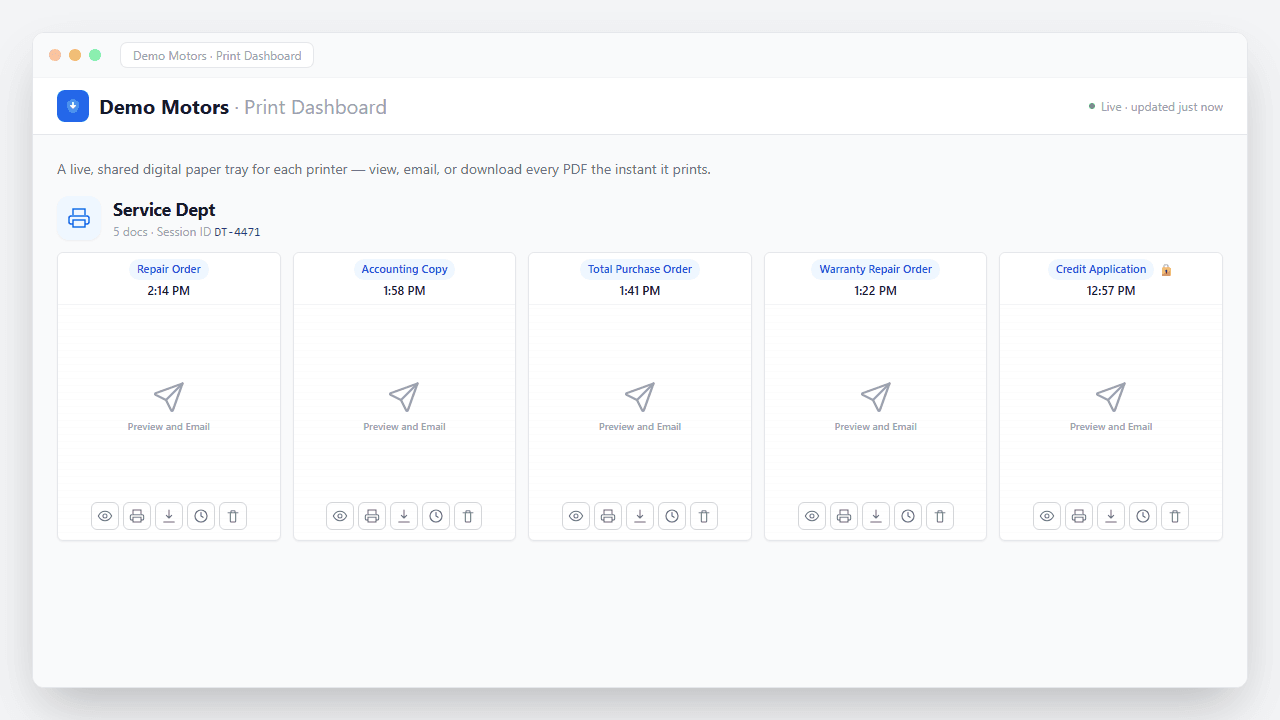
What happens the moment you hit Print
No upload step, no scanner, no waiting. The job is captured straight off the print stream and turned into a secure, branded PDF in seconds — waiting in your portal to view, email, or download, and routed automatically if you want.
- Captured instantly. The print job is intercepted the moment it leaves Dealertrack — nothing ever hits paper.
- Converted to a branded PDF. Layout, totals, and letterhead preserved exactly as they'd appear on the printed page.
- Encrypted end to end. Every document is secured in transit and at rest — built with FTC Safeguards in mind.
- Ready & logged. It appears in your portal instantly — view, email, or download — with a full audit trail of who did what.
IT & Technology questions
Ready to go paperless?
Tell us about your dealership and we will get you set up. We'll show you exactly how PrintSent fits your workflow.