One paperless pattern, every rooftop
A dealer group multiplies the same printing problem across every rooftop. PrintSent solves it the same way at each one: a single device per store that Dealertrack sees as a printer, branded PDFs in a secure portal scoped to that store, and the print-scan-email loop gone. One pattern, repeated, with no new software to roll out.
PrintSent
Per rooftop
Printing just to send it
Across a group, every store runs the same loop: print a document to get the logos and formatting, walk to the printer, scan it back in, and email it. Multiply that by every rooftop and it is a real line on the group's expenses, in paper, toner, printers, and hours.
Rolling out a fix usually means a project per store. Groups hesitate because consistency is hard: different staff, different habits, different printers at each location.
print → walk → scan → email
What a dealer group gets
Consistent document delivery at every store, the same fast setup each time, and a per-store view of what going paperless saves.
The same deployment everywhere
Each rooftop gets one pre-configured device that Dealertrack recognizes as a printer. The setup is identical store to store, so the group is not managing a different project at each location.
Consistent output for customers
Every store sends the same clean, branded PDF instead of a scan that depends on which copier and who ran it, so the group's documents look the same wherever they come from.
Scoped per store
Each rooftop's portal is scoped to its own printers, so staff see only their store's documents while the group keeps a consistent tool across all of them.
Savings visible per rooftop
Each store's portal reports the documents kept digital and the paper, toner, and time saved, so you can see the impact rooftop by rooftop.
How PrintSent solves it
Dealertrack
Staff click Print exactly as they do today.
PrintSent device
Captures the full print stream and converts it to a branded PDF.
Ready in your portal
The secure PDF appears instantly in your shared web portal — view it, email it to yourself or others, or download it, all from one place.
PrintSent installs the same way at every store: plug in the device, add a printer in Dealertrack pointing to it, and run Send Logos. Staff keep printing exactly as they do now, and the branded PDF appears in that store's secure portal to view, email, or download.
Pricing is simply per rooftop, so a group adds stores at the same flat rate with no long-term contract and nothing new for staff to learn.
Each rooftop's savings show up in its own portal, so the group gets a per-store picture rather than a promised group-wide number.
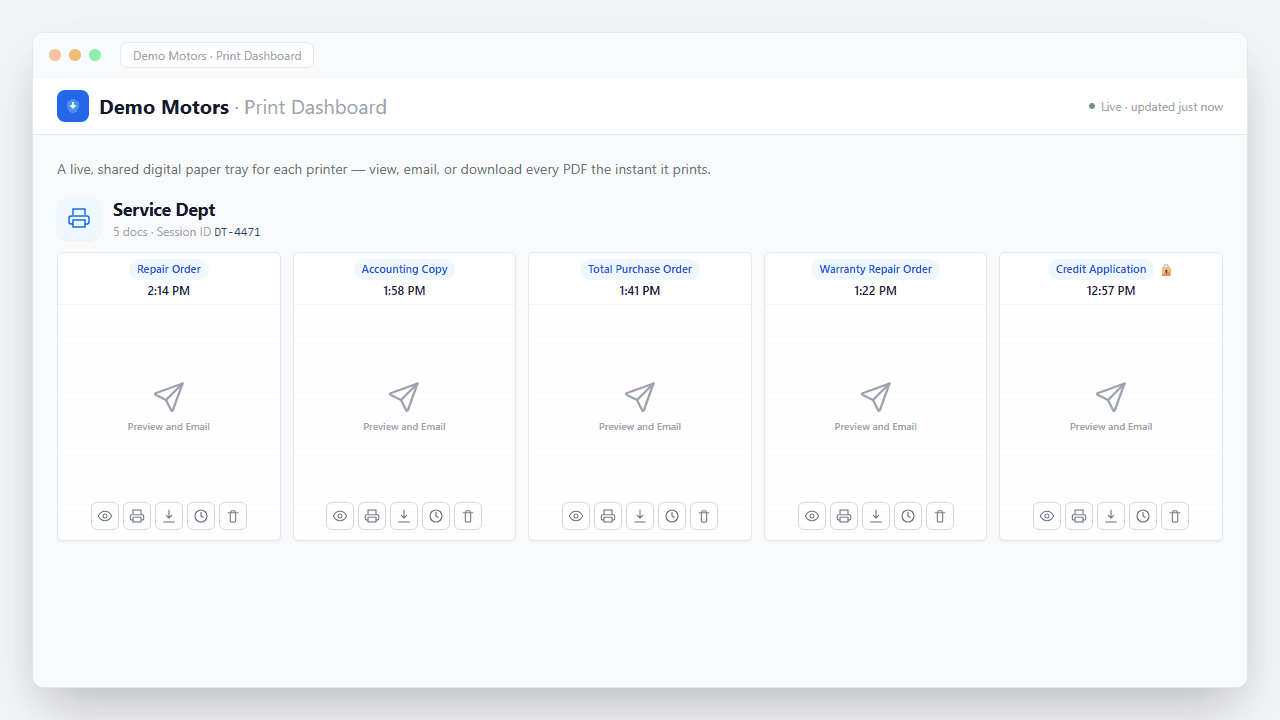
Documents captured
What happens the moment you hit Print
No upload step, no scanner, no waiting. The job is captured straight off the print stream and turned into a secure, branded PDF in seconds — waiting in your portal to view, email, or download, and routed automatically if you want.
- Captured instantly. The print job is intercepted the moment it leaves Dealertrack — nothing ever hits paper.
- Converted to a branded PDF. Layout, totals, and letterhead preserved exactly as they'd appear on the printed page.
- Encrypted end to end. Every document is secured in transit and at rest — built with FTC Safeguards in mind.
- Ready & logged. It appears in your portal instantly — view, email, or download — with a full audit trail of who did what.
Dealer Groups questions
Service Department
PrintSent for the Service Department
Parts Department
PrintSent for the Parts Department
Accounting & Finance
PrintSent for Accounting & Finance
IT & Technology
PrintSent for IT Directors & Dealership Technology Managers
Cost Savings
Print to Cheaper Printers with Dealertrack
Controllers
PrintSent for Controllers
Ready to go paperless?
Tell us about your dealership and we will get you set up. We'll show you exactly how PrintSent fits your workflow.