Month-end statements out, without the mail run
The back office runs on documents that get printed only to be sent: Statements of Account at month-end, invoice and receipt copies all month long. PrintSent captures each one as a branded PDF the moment it prints, emails the statement run per vendor, and puts the savings in front of you as a number, not a hunch.
Statement of Account
Month-end run
Printing just to send it
Month-end means the Statement of Account run: one long PDF with every vendor's statement inside it. In most stores that gets printed in full, folded, stuffed, stamped, and mailed, or printed only to be scanned and emailed piece by piece. Either way it is hours of work plus postage, and then a week of "can you re-send that?" calls.
The rest of the month is the same pattern in miniature: a customer wants a receipt, a vendor wants an invoice copy, and each one runs the print-scan-email lap. QPRINT would give you text with no logos or layout, which is not something you send.
print → walk → scan → email
What a controller gets
Less paper, toner, and postage; hours back at month-end; and a running tally of what going paperless is saving.
Statements emailed per vendor
Statement Sender splits the month-end run into one statement per vendor, matches each to a saved email, and sends them in a pass. Vendors with no email are bundled into a single print-and-mail PDF.
Postage and paper off the books
The statements you email cost nothing to send: no envelopes, no stamps, no toner, no folding and stuffing. What still needs mailing is one clean batch.
Copies in seconds, all month
Invoices and receipts are in the portal the moment they print, so getting a copy to a customer or vendor takes a couple of clicks instead of a trip to the printer and scanner.
Savings you can see
The portal surfaces how many documents stayed digital and the paper, toner, and staff time that adds up over a month: the number worth taking to your GM.
How PrintSent solves it
Dealertrack
Staff click Print exactly as they do today.
PrintSent device
Captures the full print stream and converts it to a branded PDF.
Ready in your portal
The secure PDF appears instantly in your shared web portal — view it, email it to yourself or others, or download it, all from one place.
PrintSent appears on your Dealertrack network as a fully compliant printer, so the back office prints exactly the way it does today. Each document is captured with full formatting and lands in a secure portal to view, email, or download.
For the month-end run, Statement Sender takes the single Statement of Account PDF and sends each vendor their own, with replies routed back to whoever sent them. It is included with PrintSent at no extra cost.
Sensitive financial documents can go out as secure download links instead of attachments, and no customer personal information appears in email subject lines or body text.
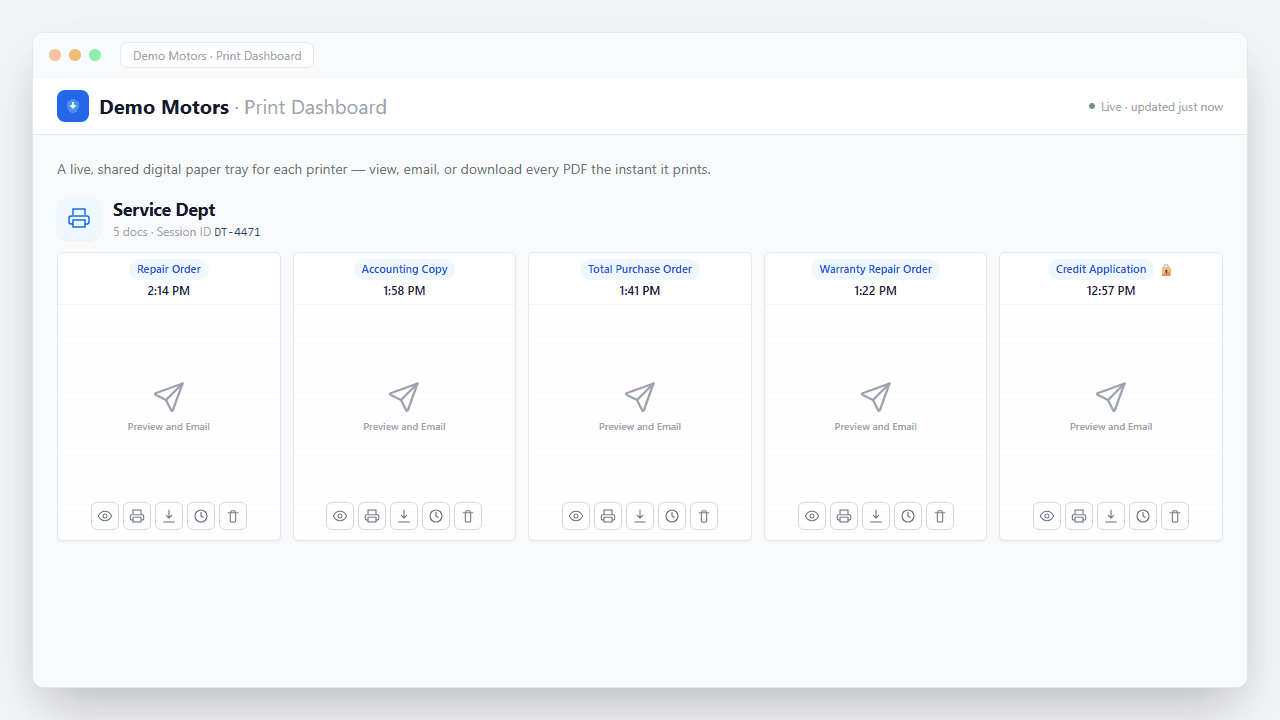
Documents captured
What happens the moment you hit Print
No upload step, no scanner, no waiting. The job is captured straight off the print stream and turned into a secure, branded PDF in seconds — waiting in your portal to view, email, or download, and routed automatically if you want.
- Captured instantly. The print job is intercepted the moment it leaves Dealertrack — nothing ever hits paper.
- Converted to a branded PDF. Layout, totals, and letterhead preserved exactly as they'd appear on the printed page.
- Encrypted end to end. Every document is secured in transit and at rest — built with FTC Safeguards in mind.
- Ready & logged. It appears in your portal instantly — view, email, or download — with a full audit trail of who did what.
“It saves our team hours every month sending out statements, and the cost of postage.”
Controllers questions
Service Department
PrintSent for the Service Department
Parts Department
PrintSent for the Parts Department
Accounting & Finance
PrintSent for Accounting & Finance
IT & Technology
PrintSent for IT Directors & Dealership Technology Managers
Cost Savings
Print to Cheaper Printers with Dealertrack
Dealer Groups
PrintSent for Dealer Groups
Ready to go paperless?
Tell us about your dealership and we will get you set up. We'll show you exactly how PrintSent fits your workflow.